Your apps, on your Mac (Beta)
Two ways to work with your Spikefrost apps locally: a point-and-click desktop app, or the full command line.
Spikefrost Manager
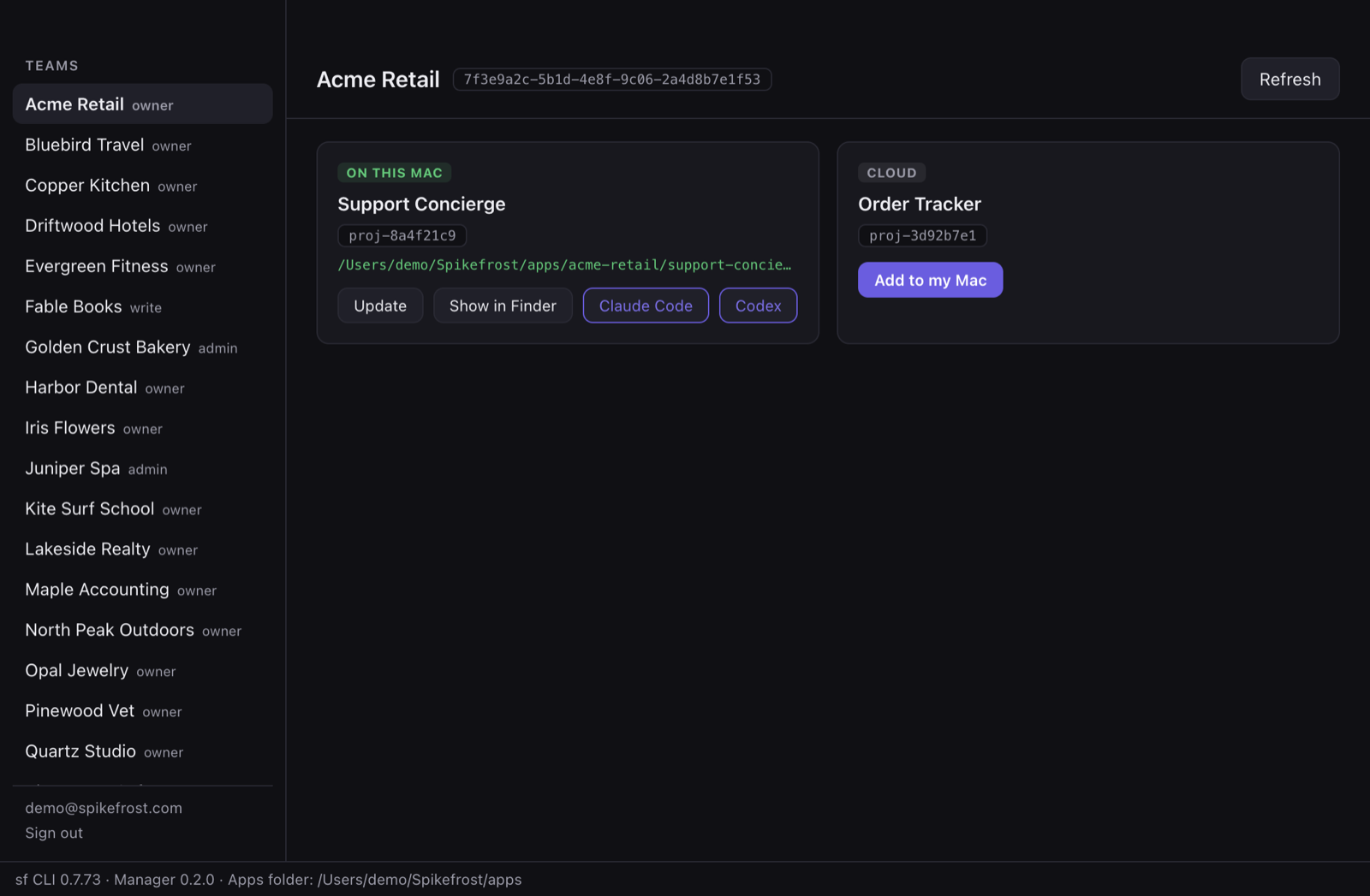
A desktop app for everyone — no Terminal required. Sign in with an email code and your teams and apps are right there.
- ✓Browse every team and app in your account
- ✓Download an app's files to your Mac with one click
- ✓Keep local copies updated and open them in Finder
- ✓Launch Claude Code or Codex directly in an app's folder
- ✓Ships with the sf CLI built in — nothing else to install
Download for macOSv0.2.2 · Apple Silicon · macOS 11+ · ~98 MB
Signed and notarized by Apple.
sf CLI
The full Spikefrost command line for developers and coding agents: check out and push app files, build and deploy, manage agents, connectors, queues, and your app's database — all from the Terminal.
Install (macOS / Linux)
curl -fsSL https://edge.spkdev.com/sf/install.sh | shOr via npm
npm install -g @spikefrost/cliThen sign in with sf login and run sf --help to explore.
Looking for the Spikefrost Desktop workspace app? Get it here.